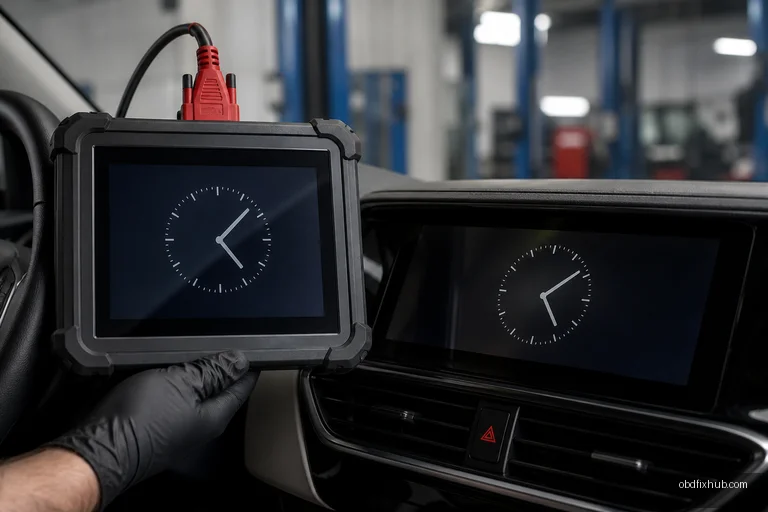
P0D1F Control Module Date and Time Synchronization Error means that one vehicle control module cannot agree on the correct date or time with another module, a network time source, or its own internal clock. The fault is usually linked to low or unstable voltage, CAN communication problems, a lost time reference, or outdated control-module software—not a mechanical engine failure. In many vehicles, the car will still drive normally, but scheduled charging, event logs, telematics, and other time-dependent functions may be affected.
What Does the P0D1F Code Mean?
P0D1F is an OBD-II diagnostic trouble code associated with a control module date and time synchronization failure. Modern vehicles contain several computers, and they need a consistent timestamp for diagnostic records, charging schedules, remote commands, security functions, and communication between modules.
Depending on the manufacturer, the affected module may be part of the hybrid or electric-vehicle control system, body network, telematics system, or another power-management circuit. The exact module name and test conditions are manufacturer-specific, so the factory service information should be used before replacing any component.
Common Causes of the P0D1F Error
- Weak 12-volt battery: A low-voltage event during starting, charging, or module wake-up can reset a control module clock.
- Battery disconnection or replacement: Disconnecting the auxiliary battery may erase the stored time reference or interrupt synchronization.
- CAN bus communication fault: Open circuits, shorted wires, poor grounds, corrosion, or excessive network resistance can prevent time data from reaching the module.
- Incorrect date or time settings: A clock manually set far outside the expected range can cause a module plausibility check to fail.
- GPS, telematics, or network time-source failure: Some vehicles obtain time from GPS, a connected-services unit, or another gateway module.
- Software or calibration issue: A control module may need reprogramming after a known software defect or an interrupted update.
- Internal module memory or real-time-clock failure: If the code returns immediately after correct voltage and communication tests, the module itself may be losing its stored time.
Symptoms You May Notice
P0D1F does not always produce an obvious drivability symptom. In practice, technicians often find it during a full-system scan after a weak battery, a service visit, or a vehicle software update.
- Check Engine, hybrid-system, EV-system, or service warning light
- Incorrect date or time on the infotainment display
- Charging schedules starting at the wrong time or failing to activate
- Remote start, preconditioning, or remote charging commands behaving inconsistently
- Diagnostic records showing implausible dates or timestamps
- Multiple communication or low-voltage codes stored alongside P0D1F
- A code that appears after the 12-volt battery has been replaced or discharged
A vehicle that also displays a red electrical warning, refuses to enter Ready mode, or has high-voltage system warnings requires a more cautious inspection. Do not open or test high-voltage components unless you are properly trained and equipped.
How to Diagnose P0D1F Properly
Replacing a control module based on this code alone is an expensive mistake. A reliable diagnosis starts by identifying which module set the code and whether the fault is current, pending, or history-only.
1. Perform a complete vehicle scan
Use a scan tool capable of accessing all modules, not only the generic powertrain menu. Record every code, freeze-frame detail, module name, and timestamp before clearing anything. A U-code, low-voltage code, or gateway communication code may be the real root cause while P0D1F is only a consequence.
2. Check the 12-volt system under real conditions
Measure the battery after the vehicle has been sitting, then monitor voltage during wake-up and module communication. A battery can show an acceptable resting voltage and still collapse under load. Inspect the battery terminals, ground connections, power distribution points, and any recently disturbed wiring.
As a practical guide, a fully charged conventional 12-volt battery is commonly near 12.6 volts at rest, although temperature and battery type affect the reading. During vehicle operation, charging voltage also varies by design, so compare the result with the manufacturer’s specifications rather than relying on one universal number.
3. Compare the clocks and module timestamps
Check the instrument cluster, infotainment system, scan-tool time, telematics status, and the time displayed in individual module data. If one module shows a dramatically different date while the others agree, the problem is more likely to be a failed time source, software issue, or module memory fault. If several modules have unrelated timestamps, suspect a network or low-voltage event first.
4. Inspect network communication and grounds
Look for water intrusion near gateways, telematics units, fuse boxes, and connectors exposed to the driver’s footwell or windshield area. Check for pushed-out terminals, damaged twisted-pair wiring, aftermarket accessories, and grounds with excessive voltage drop. A professional oscilloscope or network tester can reveal communication quality problems that a basic code reader cannot.
5. Verify software and perform synchronization
Follow the manufacturer’s procedure for setting the date, time zone, daylight-saving option, and GPS or network time synchronization. Some vehicles require a scan-tool routine such as module initialization, time synchronization, or configuration writing. If a technical service bulletin or software update applies, complete it with a stable power supply; a voltage interruption during programming can create additional faults.
6. Clear the code and confirm the repair
After correcting the cause, clear all related codes and allow the vehicle to enter sleep mode and wake up normally. Recheck the system after a drive cycle, a charging event, or the next scheduled wake-up. A code that returns immediately points toward an active electrical, communication, or module problem; a code that stays gone after a battery event may have been historical.
Fixes That Commonly Resolve P0D1F
- Charge or replace a weak 12-volt battery and repair poor terminals or grounds.
- Restore the correct date, time zone, and automatic time-setting configuration.
- Repair CAN wiring, connector corrosion, water intrusion, or an aftermarket device disrupting the network.
- Update or reprogram the affected control module using the correct factory procedure.
- Replace and configure the module only after power, ground, network, and software checks pass.
Battery disconnection may erase the code temporarily, but it does not repair the underlying fault. If P0D1F returns after the vehicle has been driven, charged, or left overnight, the clock is likely losing synchronization again.
Can You Drive With P0D1F?
If P0D1F is the only code and the vehicle has no electrical-system, hybrid-system, or charging warning, short-term driving is often possible. However, do not ignore related symptoms such as charging failure, reduced power, a no-Ready condition, or multiple communication codes. Those signs can indicate a broader power or network problem that should be diagnosed promptly.
When Professional Diagnosis Is the Better Choice
Seek a qualified technician when the code returns immediately, several modules lose communication, the vehicle has high-voltage warnings, or programming is required. EV and hybrid systems can contain dangerous voltages even when the vehicle is switched off. A professional shop can also access manufacturer-specific data and perform module configuration that a generic OBD scanner cannot.
Key Takeaway
P0D1F is primarily a synchronization and communication fault, not proof that a control module must be replaced. Start with the 12-volt battery, grounds, timestamps, network communication, and software status. Save the complete scan report before clearing the code, repair the underlying cause, and then verify that the synchronization remains stable through a full sleep-and-wake or charging cycle.
Frequently Asked Questions
Is P0D1F caused by a bad car battery?
It can be. A weak 12-volt battery or a voltage drop during startup can reset a module clock and trigger P0D1F. Test battery performance and voltage during vehicle wake-up before condemning a control module.
Will disconnecting the battery fix P0D1F?
It may clear a temporary, history-only fault, but it will not correct a failed battery, damaged CAN wiring, incorrect configuration, or a module that cannot retain time data. The code should be monitored after the vehicle sleeps and wakes again.
Can P0D1F stop an electric vehicle from charging?
Usually the code affects time-dependent functions rather than the basic charging hardware. However, a related communication or low-voltage fault can interfere with scheduled charging or charging authorization, so all stored codes must be diagnosed together.
Do I need to replace the control module?
Not necessarily. Module replacement should be considered only after power, grounds, network wiring, time-source settings, and applicable software updates have been verified. A replacement module may also require programming or configuration before the vehicle operates correctly.