B0126 Driver Monitoring Camera: Meaning, Causes, Symptoms & Fix
B0126 Driver Monitoring Camera usually means the vehicle has detected a fault in the camera, its wiring, power supply, communication circuit, or calibration. Because B0126 is not interpreted identically by every manufacturer, the exact definition must be confirmed with a manufacturer-capable scan tool and the vehicle’s service information before replacing any parts.
This code is commonly associated with modern driver monitoring systems that watch the driver’s face or eyes to assess attention. A fault may trigger a warning message, disable driver-assistance features, or leave the camera unavailable even though the engine runs normally.
What Does Code B0126 Mean?
B0126 is a body or occupant-safety-related diagnostic trouble code rather than a typical engine fault. On vehicles equipped with a driver monitoring camera, the code may point to an internal camera fault, an open or shorted circuit, lost communication, abnormal supply voltage, or a failed camera initialization.
The same five-character code can have different wording across brands and model years. Some vehicles store B0126 in a body control, restraint, or driver-monitoring module, while others report a more specific subcode alongside it. The scan tool’s module name, additional codes, and freeze-frame data are therefore more useful than the code number alone.
How Does a Driver Monitoring System Work?
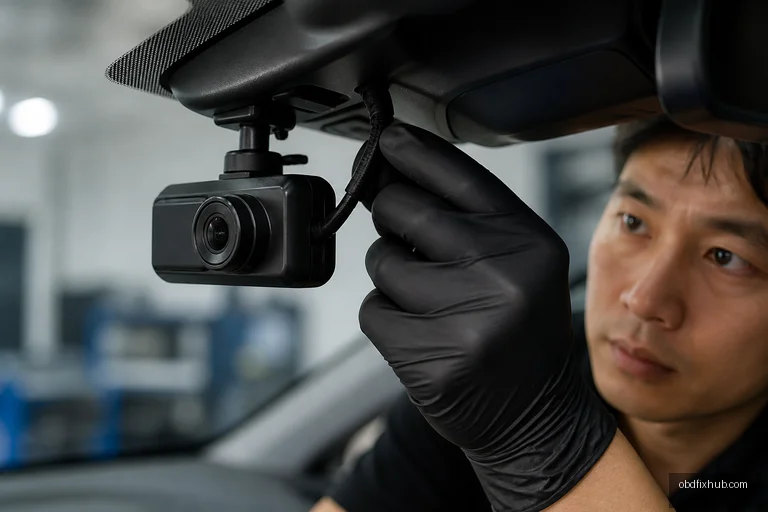
A driver monitoring system uses a near-infrared camera, infrared illumination, and software algorithms to estimate whether the driver is looking at the road and remaining attentive. The camera is often mounted in the instrument cluster, steering column area, or upper dashboard, where it can see the driver’s face without relying on normal cabin lighting.
The system typically tracks facial landmarks, eyelid movement, head position, and gaze direction. It does not simply take a photograph and make a single decision; it evaluates changing data over time and compares it with vehicle speed, steering input, lane-keeping operation, and other signals.
If the system detects prolonged distraction or cannot verify the driver’s presence, it may issue visual or audible alerts. If the camera cannot communicate with its control module, the vehicle may deactivate hands-free driving, lane-centering, or related assistance functions as a safety precaution.
Common Symptoms of B0126 Driver Monitoring Camera
The most obvious symptom is a dashboard message such as “Driver Monitoring System Unavailable,” “Camera Blocked,” or “Driver Attention System Fault.” The warning may appear immediately at startup or only after the vehicle begins moving.
- Driver monitoring, hands-free driving, or advanced lane-assistance functions are unavailable.
- A camera or driver-attention warning remains illuminated after cleaning the windshield.
- The system repeatedly asks the driver to keep eyes on the road when the driver is attentive.
- Several body, ADAS, or communication codes appear at the same time.
- The fault is intermittent after a weak battery, jump-start, collision, or interior trim repair.
In many cases, B0126 does not cause poor engine performance. That does not make it harmless: a disabled driver-monitoring system can change how an assistance feature operates and should not be ignored if the vehicle is used on highways or in heavy traffic.
What Causes B0126?
During diagnosis, I would inspect simple visibility and power issues before condemning the camera. The most frequent causes include:
- Obstructed camera view: Dust, fingerprints, adhesive film, a dashboard accessory, or an incorrectly fitted trim panel can interfere with the lens.
- Wiring or connector damage: Loose terminals, pinched wires, corrosion, or a connector disturbed during windshield, dash, or steering-column work can interrupt the circuit.
- Low system voltage: A weak 12-volt battery, charging fault, or recent jump-start can create communication and initialization errors.
- Camera misalignment or failed calibration: Collision repairs, instrument-panel replacement, or camera removal may require a calibration routine.
- Software or communication fault: The camera may lose communication over the vehicle network or require an approved software update.
- Internal camera failure: Moisture intrusion, electronic damage, or a failed infrared component can make replacement necessary.
How to Diagnose B0126 Correctly
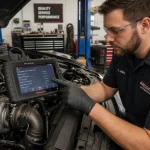
Do not begin by buying a camera based only on a generic code reader. A reliable diagnosis should identify which module stored the code, whether B0126 is current or historical, and whether other network or voltage codes are present.
- Record all codes and freeze-frame data. Scan every relevant module, not just the engine computer. Note battery voltage, mileage, and the conditions under which the code appeared.
- Inspect the camera area. Clean the lens with a soft, lint-free cloth and remove anything blocking the camera’s field of view. Do not spray cleaner directly into the camera housing.
- Check battery and charging voltage. A battery that drops excessively during cranking can cause misleading body-module faults. Test the battery under load rather than relying on open-circuit voltage alone.
- Inspect connectors and harnesses. Look for bent pins, water intrusion, loose locking tabs, and harness damage near the dashboard, steering column, or windshield.
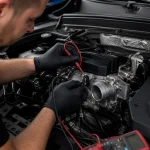
- Test power, ground, and communication. Use the wiring diagram and a digital multimeter or approved network diagnostic equipment. Never use a test light on sensitive data circuits.
- Check calibration and software requirements. If the camera was removed or the windshield was replaced, perform the manufacturer-specified static or dynamic calibration with the correct scan tool.
- Clear the code and verify the repair. A proper road test should confirm that the camera initializes, the warning stays off, and assistance features return to normal operation.
How Is B0126 Repaired?
The repair depends on the failed part. Cleaning the camera lens or securing a connector may solve an intermittent fault, while a damaged harness may require terminal repair rather than an entire wiring replacement. If software is the issue, a dealer or specialist may need to reprogram the camera or its control module.
A replacement driver-monitoring camera usually requires configuration, aiming, or calibration after installation. Installing a used unit may not be a straightforward solution because some systems store vehicle-specific data, require security access, or will not operate until the module is correctly initialized.
Do not permanently cover or disconnect the camera to suppress the warning. That can disable safety functions, create additional codes, and potentially affect warranty or insurance claims.
B0126 Repair Cost Estimate
Costs vary significantly by vehicle and access to the camera. A basic inspection, cleaning, or code scan may cost approximately $50–$150. Wiring or connector repairs commonly fall in the $100–$400 range, while calibration after windshield or dashboard work may cost about $150–$500.
A new camera or integrated driver-monitoring module can cost roughly $300–$1,500 or more, including programming and calibration. Always request an itemized estimate showing the part, labor, software configuration, and calibration charges. A quote that includes only “replace camera” without test results is a reason to seek a second opinion.
Can You Still Drive With B0126?
Usually, the vehicle can still be driven if the engine, brakes, steering, and other warning systems are functioning normally. However, driver-monitoring and connected assistance features may be unavailable, so you must drive without relying on them. If B0126 appears together with airbag, steering, brake, or multiple communication warnings, stop treating it as an isolated camera problem and have the vehicle inspected promptly.
Final Takeaway
B0126 Driver Monitoring Camera is a diagnostic clue, not automatic proof that the camera itself has failed. Start with the lens, battery voltage, connectors, related codes, and calibration history; then use manufacturer-specific testing before authorizing an expensive replacement. Once the repair is completed, confirm the system through a scan, calibration procedure, and road test rather than simply erasing the code.
Frequently Asked Questions
Is B0126 always caused by a bad driver monitoring camera?
No. Low voltage, wiring damage, a blocked lens, communication errors, software problems, and lost calibration can all produce the code. The vehicle manufacturer’s diagnostic procedure is needed to separate these causes.
Can I clear B0126 with an ordinary OBD scanner?
A basic scanner may read or erase the code, but it often cannot access the body or driver-monitoring module, run camera tests, or perform calibration. Erasing the code without fixing the cause will usually result in its return.
Will a windshield replacement cause B0126?
It can. Work near the dashboard or camera mounting area may disturb a connector, alter the camera’s position, or create a calibration requirement. The installer should follow the vehicle’s post-replacement ADAS and driver-monitoring calibration procedure.
How much does it cost to fix B0126?
Minor cleaning or connector repairs may cost under $150, while calibration can cost several hundred dollars. A failed camera or module may exceed $1,000 after programming and calibration, depending on the vehicle.